Comments

  • This is default featured slide 1 title

    Go to Blogger edit html and find these sentences.Now replace these sentences with your own descriptions.This theme is Bloggerized by Lasantha Bandara - Premiumbloggertemplates.com.

  • This is default featured slide 2 title

    Go to Blogger edit html and find these sentences.Now replace these sentences with your own descriptions.This theme is Bloggerized by Lasantha Bandara - Premiumbloggertemplates.com.

  • This is default featured slide 3 title

    Go to Blogger edit html and find these sentences.Now replace these sentences with your own descriptions.This theme is Bloggerized by Lasantha Bandara - Premiumbloggertemplates.com.

  • This is default featured slide 4 title

    Go to Blogger edit html and find these sentences.Now replace these sentences with your own descriptions.This theme is Bloggerized by Lasantha Bandara - Premiumbloggertemplates.com.

  • This is default featured slide 5 title

    Go to Blogger edit html and find these sentences.Now replace these sentences with your own descriptions.This theme is Bloggerized by Lasantha Bandara - Premiumbloggertemplates.com.

Showing posts with label TECHNOLOGY. Show all posts

10 Best Youtube Channels to Learn Coding Online

10 Best Youtube Channels to Learn Coding Online 

There are many great websites available on the internet where you can learn how to code with live examples and demo. However, many of us prefer to watch youtube videos to understand any topic. It feels like we are in a real classroom. You can understand any specific topic related to any subject on youtube.

In this article, I am going to share top 10 Best Youtube Channels to Learn Coding Online. You can also check these Best Websites to Learn Programming online.

Best Youtube Channels to Learn Coding Online

1. TheNewBoston

TheNewBoston is a very helpful youtube channel for programmers, developers, networking and graphic designers. The youtube channel was started in 2008. In 9 years, the channel has created more than 4200 video tutorials and still uploading new videos daily.  This channel has covered almost all modern programming languages and computer science topics.

2. LearnCode.academy

LearnCode.academy is the ultimate place to learn web designing and development.  This channel has more than 150 videos related to web development (Html, CSS, Javascript, Node.js, ReactJS etc ) and 340 K subscribers making it one of the best youtube channels for web designing tutorials.

3. Derek Banas

This amazing channel is consist of the video tutorials regarding the programming languages. The uploader Derek Banas explains the whole concept of any particular coding language within a single video only. If you don’t have much time or preparing for exams, you should follow his channel.

4. Programming Knowledge

Programming knowledge youtube channel has more than 1000 videos of programming tutorials created by its uploader ‘Yogesh Patel’. The easy and helpful videos attracted about 400,000 subscribers throughout the world. The channel provides most accurate and essential knowledge about different programming languages to its subscribers.

5. Code Course

If you are a beginner then this is the best place for you to start. This channel mainly focuses on PHP but it also covers CSS, Sass, Node.js etc.

6. Treehouse

This channel has more than 350 videos that provide the knowledge about the PHP, javascript.python, CSS, swift, and C++. These videos try to make it easy to learn without any complications or complex strategies.

7. LevelUpTuts

Master the web designing, Bootstrap, Layout on Photoshop and Dreamweaver so that you could make the responsive websites with amazingly featured layouts. Many other related things you could learn through the short but simple videos of the channel.

8. Google Developers

The Google Developers channel, offers lessons, talks, the latest news & best practices. Learn Android, Chrome, Web Development, Polymer, Performance, iOS & more!

9. Adam Khoury

This channel provides the users with all sort of knowledge regarding the Web development technologies and languages. The videos are truly made in a very simple and interactive way hence so the users can learn it faster. The videos are basically related to HTML, JavaScript, PHP, SQL, CSS

10. Slide Nerd

Slide nerd talks about all sort of programming: Android, Java, JavaScript, Python, IOS and Swift programming as well.

Share:

[TECH FIX]- WINDOWS NOT DETECTING ANDROID PHONE

[TECH FIX]- WINDOWS NOT DETECTING ANDROID PHONE

Fix: Windows Not Detecting Android Phone.. @Geekng

If you just upgraded to Windows 10, there’s a chance your computer doesn’t recognize your Android phone any longer. You’re not alone, several users are facing this problem and I sure did too. A few days ago, a comment was left on this article about this particular issue and I thought it’s best to make an article out of it.

You’ve probably tried updating your drivers with the issue still unresolved. To get your computer to detect your Android phone, you only need to try either of these two fixes.

Fix 1: Installing drivers from WindowsINF

Right-click on the Start button and selectDevice Manager.

Locate your unrecognized Android device from the list. It may be be identified asUnknown Device or just MTP Device. Right-click and select Update Driver Software.

Select Browse my computer for driver software.

Browse and select WindowsINF as the driver location.

Hit the Next button to complete the installation. If you get a message that the installation is complete, your work is done here. However, if you see this:

A service installation section in this INF is invalid.


You need to try the second method.

Fix 2: Installing from compatible drivers list

Right-click on the Start button and selectDevice Manager.

Locate your unrecognized Android device from the list. It may be be identified asUnknown Device or just MTP Device. Right-click and select Update Driver Software.

Choose the option that says Let me choose from a list of device drivers on my computer.

If this shows up, highlight Show All Devices and hit the Next button.

On the page, select MTP USB device and click the Next button to start installation:

If it fails, go back and select another driver from this same list. After a successful installation, you should see a message that looks like this:

Share:

10 Must-Have Android Apps For Programmers

An android smartphone can do wonders in the life of a programmer. Imagine the situations when you have to mess with the codes and you don’t have the machine that can do that or you want to learn more about coding in your free time. Sometimes working on-the-go is must-needed if deadlines are approaching or it’s too urgent. There are many great Android apps for programmers which can do the work on-the-go. You can learn and practice with the help of those Android apps for programmers.

In this article, I will be mentioning the top 10 must have android apps for programmers. The list is prepared after a detailed research but if I miss something that you find more suitable for this list, you can mention in the comment section below.

10 Must have android apps for programmers

1. CDroid Compiler

C and C++ are the most common programming languages to work with. C language is the base of all programming languages which makes it more important. CDroid is the best C compiler for Android users.The CDroid app utilizes the popular GNU Compiler Collection (GCC), which is the preferred compiler for Unix users, and it lets you compile your C code effortlessly on your phone.

2. DroidDia prime

DroidDiaprime allows you to draw flow charts, org charts, Venn diagrams, mind maps, and other diagrams. The UI is based on picking objects from a gallery and dragging them into place. You can create a new object by long-pressing on a blank screen area, and you can select an existing object by long-pressing on the object. DroidDia supports using JPEG and PNG bitmaps as the basis for objects in addition to using simple geometric shapes and lets you create custom image libraries.

3. TeamViewer for Remote Control

TeamViewer is a great software for remote desktop sharing and controlling for computers. It is also possible on your android device using TeamViewer for Remote Control. It allows you to use your Windows, Mac, or Linux computer remotely from your Android device, you will just need to install TeamViewer on the computer and know the computer’s TeamViewer ID and password.

4. Syntax Highlighted Code Editor

This is an app that most programmers and web developers can’t go without if they like working from their phones. It is incredibly lightweight but still packs a heavy punch, allowing you to edit HTML, CSS, PHP, C/C++ and just about anything else you need to work in.

5. AIDE
AIDE is an integrated development environment (IDE) for developing real Android apps directly on your Android device. Follow interactive coding lessons and step-by-step become an expert app developer. Visually design apps, write code with the feature rich editor with code completion, real-time error checking, refactoring and smart code navigation, run your app with a single click and use the Java debugger to find bugs.

6. Hacker’s Keyboard

It is very painful for any programmer to do the coding on their phone keyboards. This app gives you access to a full QWERTY keyboard and code completion just like your computer keyboard . It also includes important keys like Ctrl, Alt, and Arrow keys that your phones usually don’t support.

7. Programming Hub

If you are a programmer or want to be a programmer, you need to utilize your free time. You need to learn something new about programming to keep the excitement. This app will teach you Python, Assembly, HTML, VB.NET, C, C++, C#, JavaScript, PHP and Java programming. It is good for beginners to learn basic as well as advanced programming.

8. C++ Programming

This is also a great app that enables you to carry C++ programming Tutorials in your android phone. It is having about 140 Programs, many faqs & Important Exam Questions. This app has a very simple user interface and you can easily understand its content . This app is a great choice if you are preparing for interviews, tests and in many more ways.

9. Quoda

Quoda is on the top of the list of free multi-language code editors for Android.It will be not fair if I do not add this app to our list of android apps for programmers.It is a powerful yet easy source code editor and comes with nearly all the essential features that a software programmer would need. Quoda also bundles various productivity-enhancing functionalities that can boost the developer’s efficiency. It is packed full of many useful features such as syntax highlighting, auto-suggestions, line bookmarking, auto-indentation, etc.

10. VT View Source

10 Must-Have Android Apps For Programmers

By

 Vicky Singh Rao

 -

October 24, 2016
An android smartphone can do wonders in the life of a programmer. Imagine the situations when you have to mess with the codes and you don’t have the machine that can do that or you want to learn more about coding in your free time. Sometimes working on-the-go is must-needed if deadlines are approaching or it’s too urgent. There are many great Android apps for programmers which can do the work on-the-go. You can learn and practice with the help of those Android apps for programmers.

In this article, I will be mentioning the top 10 must have android apps for programmers. The list is prepared after a detailed research but if I miss something that you find more suitable for this list, you can mention in the comment section below.

10 Must have android apps for programmers

1. CDroid Compiler

C and C++ are the most common programming languages to work with. C language is the base of all programming languages which makes it more important. CDroid is the best C compiler for Android users.The CDroid app utilizes the popular GNU Compiler Collection (GCC), which is the preferred compiler for Unix users, and it lets you compile your C code effortlessly on your phone.

2. DroidDia prime

DroidDiaprime allows you to draw flow charts, org charts, Venn diagrams, mind maps, and other diagrams. The UI is based on picking objects from a gallery and dragging them into place. You can create a new object by long-pressing on a blank screen area, and you can select an existing object by long-pressing on the object. DroidDia supports using JPEG and PNG bitmaps as the basis for objects in addition to using simple geometric shapes and lets you create custom image libraries.

3. TeamViewer for Remote Control

TeamViewer is a great software for remote desktop sharing and controlling for computers. It is also possible on your android device using TeamViewer for Remote Control. It allows you to use your Windows, Mac, or Linux computer remotely from your Android device, you will just need to install TeamViewer on the computer and know the computer’s TeamViewer ID and password.

4. Syntax Highlighted Code Editor

This is an app that most programmers and web developers can’t go without if they like working from their phones. It is incredibly lightweight but still packs a heavy punch, allowing you to edit HTML, CSS, PHP, C/C++ and just about anything else you need to work in.

5. AIDE

AIDE is an integrated development environment (IDE) for developing real Android apps directly on your Android device. Follow interactive coding lessons and step-by-step become an expert app developer. Visually design apps, write code with the feature rich editor with code completion, real-time error checking, refactoring and smart code navigation, run your app with a single click and use the Java debugger to find bugs.

6. Hacker’s Keyboard

It is very painful for any programmer to do the coding on their phone keyboards. This app gives you access to a full QWERTY keyboard and code completion just like your computer keyboard . It also includes important keys like Ctrl, Alt, and Arrow keys that your phones usually don’t support.

7. Programming Hub

If you are a programmer or want to be a programmer, you need to utilize your free time. You need to learn something new about programming to keep the excitement. This app will teach you Python, Assembly, HTML, VB.NET, C, C++, C#, JavaScript, PHP and Java programming. It is good for beginners to learn basic as well as advanced programming.

8. C++ Programming

This is also a great app that enables you to carry C++ programming Tutorials in your android phone. It is having about 140 Programs, many faqs & Important Exam Questions. This app has a very simple user interface and you can easily understand its content . This app is a great choice if you are preparing for interviews, tests and in many more ways.

9. Quoda

Quoda is on the top of the list of free multi-language code editors for Android.It will be not fair if I do not add this app to our list of android apps for programmers.It is a powerful yet easy source code editor and comes with nearly all the essential features that a software programmer would need. Quoda also bundles various productivity-enhancing functionalities that can boost the developer’s efficiency. It is packed full of many useful features such as syntax highlighting, auto-suggestions, line bookmarking, auto-indentation, etc.

10. VT View Source

This application works similar to “view source” in PC browsers. You can view the HTML, CSS, JavaScript or XML sources of web pages and other remotely located files. It comes with lots of features which include support for different syntax highlighting themes, adjustable colors, line numbers, text wrapping, in-source active links, multiple viewing modes such as mobile and desktop browser modes amongst other features.

Source click here

Share:

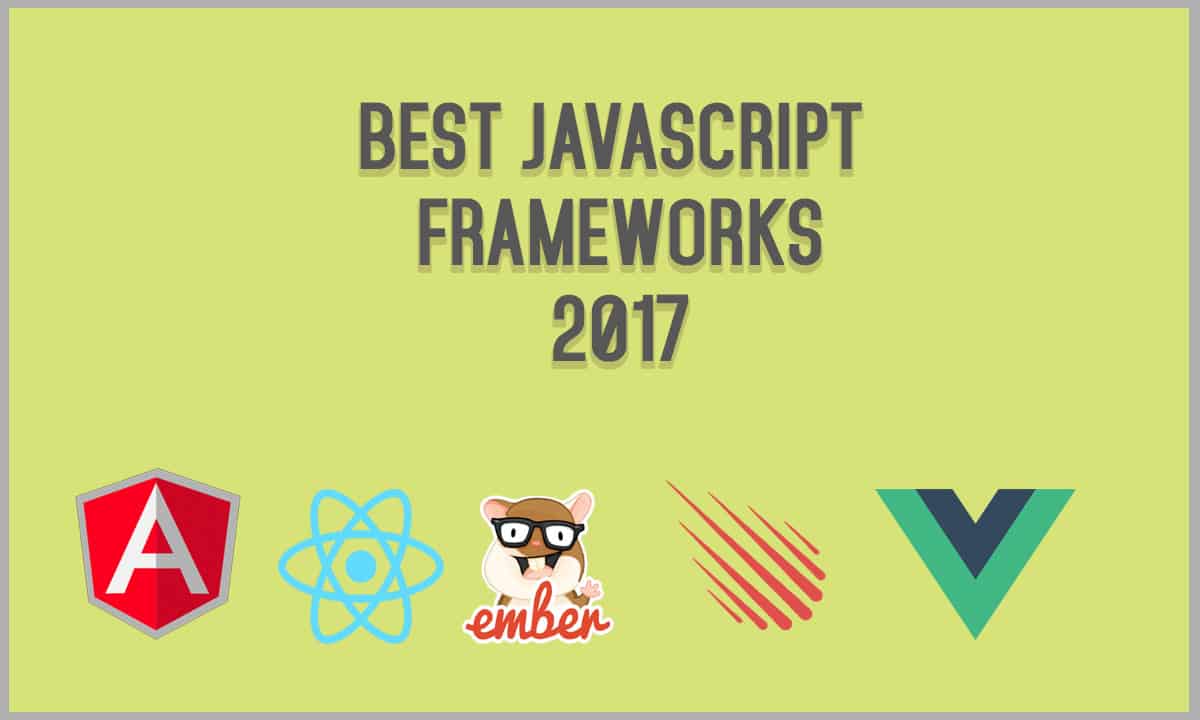
Top 5 Best Modern JavaScript Frameworks for Web and App Development


There has been a great increase popularity of JavaScript in the recent years. There have been witnessed great changes in all this JavaScript. In earlier this year the IBM named accredited that JavaScript is one of the best programming languages in this year. They argued that the secret of the success of the program is due to its both client and server sides that are designed in a flavorful interface and also well-modified web pages that are real among other specifications. There are various advantages of using JavaScript frameworks, some of the advantages include, safety, high-efficiency rate, the cost among other advantages. In 2017, there are some Best Modern JavaScript frameworks that have done well. In this article, I am going to state them and give a brief description about them.

5 Best Modern JavaScript frameworks

1. AngularJS

This is commonly known as the model-view whatever (MVW) framework. Since the time of its invention, it has gone through important changes. At by now, this is reasonably called one of the most used JS frameworks for single-page applications development. It is also said to be supporting the largest community of developers. There are also two categories of that are angularJS. You can search more on it.

2. ReactJS

This type is based more on the library. It usually shows its efficiency in a high dynamic application such as Facebooks and Instagram. It is also one of the highly growing js frameworks in the market today. It is estimated that there are around 1000 active participants on it. If compared to angular, reacts is more accurate and provides the performance of huge boost because of using virtual DOM

3. Vue.js

In the year 2016, we experienced the invention of due 2.0 which was better as compared to Ember, Angular and react by then and this led to putting it to a hard package. In additional, we experienced faster learning to learners as compared to other frameworks. To upgrade this vue.js has gone into deeper by offering two-way data binding and another great improvement. This type also is seen to be the best for quicker development. There is also more information on these frameworks you can search more from the internet.

4. Ember.js

In earlier years of 21st century, Ember was seen to be the best JavaScript frameworks of all the web applications as compared to others. This has however not changed, today ember.js is seen to be the boost for the much online community, with regular updates and it is through this that the JavaScript is seen to be the right one.

5. Meteor.js

This is the most common known JavaScript frameworks among many people. Since 2013 it has also undergone various changes that have made it grow and improve its work rate.

Share:

C vs C++ – Which Programming language is better?

Which one is better? But first, let me introduce their features and the length of their being around in the software engineering world. Let’s begin with C, is a general programming language and was invented in 1970, it is used for the salvation of the computer operating system kernel to the user interface, Later on, In 1980 C programming was modernized.

C++ programming language was in 1998, and it is a modernized C programming language with enhanced features, which aims at overcoming the problems the C programming was unable to. So, C++ language is much younger and C.

The major difference between C and C++ is that C is a procedural programming language and does not support classes and objects, while C++ is a combination of both procedural and object oriented programming language; therefore C++ can be called a hybrid language.

There is still a question which language is better, I will say it depends for what purpose they are used. If one is working on the project that includes more than 250,00+lines of code, Python or C++ is the best to be used than C language.If one is working on a fast program, then usage of C program is more convenient, e.g. some programs that need to manage video should use C programming language. In other cases, C++ language is more convenient as it facilitates the complex structures such as list management, windows, while C language needs more manipulations with pointers.
Coming out from the above information it really depends on what kind of program you are working, both have the features that are compatible in this or that situation. Both are ultrafast languages, whereas other one’s Python and similar scripting languages are much slower in execution (not compile time). But still if a project is small and requires quick resolution, it is better C language to be used and for bigger and profound projects, C++ language is more recommended.

Comparing these two languages is like comparing old cars with new ones. Their destination is the same, they are means of transportation, but older ones have basic features for moving while new ones have more advanced technics and enhanced features that require profound knowledge and approach. C is the computer programming language considered to be the basis for many of the modern high-level programming languages such as Java, C#, and C++, they have the basic features of C language and in addition, they have more enhanced and far advanced qualities. They boost developers speed and commitment.

C is a system programming language and C++ is of general purpose used the unembedded system. C does not support classes like C++ does and to add, C++ can be used to C programming as it has its basic features and we can say that it derived from this programming language. If a web developer knows C++ he knows C language as well. C++ is more object orient while C is more procedural. C++ translates to productivity and organization of code and is a boon for more complex applications, it is very suitable for fast apps and server software. It has benefits of high-level and low-level programming languages; its features: speed and performance make C++ more convenient for usage and it goes well with other languages.

So, envisaging all the above information it is difficult to tell which one is better, each of it has its benefits in a certain situation.Their usage depends on performance and speed. But C ++ being more up-to-date and enhanced with so many features is better in most cases, though we should not forget the benefits of simplicity of C is the computer programming language which in some cases does more than C++.

Share:

Popular

ALL INFORMATION ABOUT ACADEMIC AND NATIONAL NEWS.

Emmanuelnewz.blogspot.com.ng. Powered by Blogger.

iOS

5/Life%20Style/feat-tab

Follow us

Latest post

Lai Mohammed denies threatening Israel

Lai Mohammed denies threatening Israel ABUJA – MINISTER of Information and Culture, Alhaji Lai Mohammed, Thursday denied the report on soci...

Total Pageviews

Post Top Ad

LightBlog

Search This Blog

Post Top Ad

Your Ad Spot

Post Top Ad

Your Ad Spot

Post Bottom Ad

ad728

Comments

recentcomments

Videos

6/Tech/feat-videos

Technology

3/Tech/feat-grid

Recent Posts

Recent in Sports

Header Ads

ad728 #HTML1{ display : none; } @media all and (max-width: 768px) { #HTML1{ display : block; } }

Breaking News

div id="fb-root">

Music

Android

5/Tech/feat-tab

Text

Subscribe for New Post Notifications

Send Quick Message

Name

Email *

Message *

Followers

Categories

Recent Slider

5/Tech/feat-slider

Post Top Ad

ad728
Adbox

Sponsor

ads

Popular

FEATURED POSTS

Recent Posts

Unordered List

  • Lorem ipsum dolor sit amet, consectetuer adipiscing elit.
  • Aliquam tincidunt mauris eu risus.
  • Vestibulum auctor dapibus neque.

Pages

Theme Support

Need our help to upload or customize this blogger template? Contact me with details about the theme customization you need.